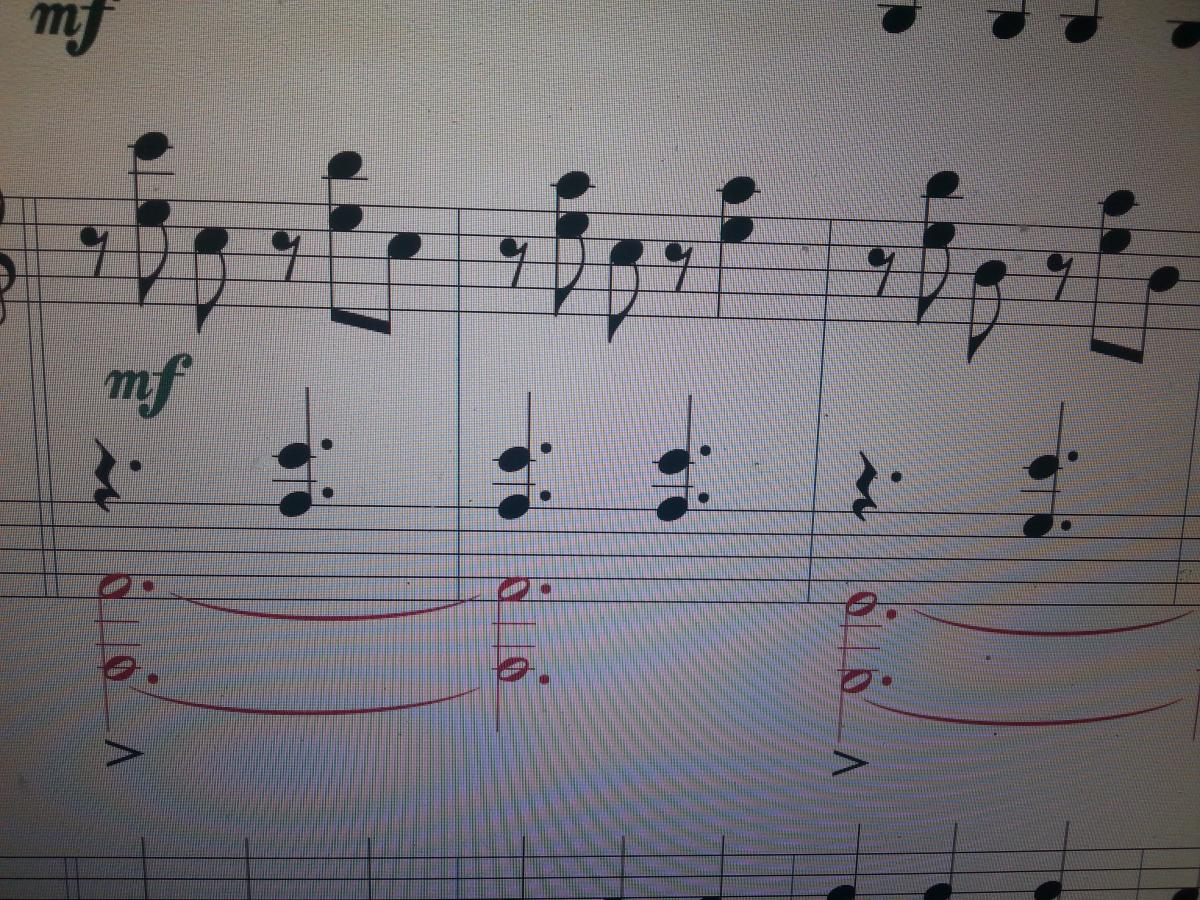
There isn't even a need to use the "advanced tools", just use "Speedy Entry" (sorry, I don't know what the Italian entry is because I use the English version, anyway it should be "Inserimento rapido" or something like that). If you position the cursor on a note and then press "/" (slash), the eighth note groups with the previous ones. By pressing the same key, you separate an eighth note (or a sixteenth note...) from the previous notes. It is more complicated to draw groupings between consecutive eighth notes in different measures, but if I understood correctly, that is not your case.
I selected "speedy entry" (which corresponds to the tilted running chroma icon, right?);
I position myself on a chroma that I would like to join to the previous chroma (they are contiguous);
I press "slash", which is shift + 7, but I get almost the entire measure deleted.
Am I doing something wrong?
Ehm... someone more experienced is needed here. I did a test, and indeed pressing shift+7 Speedy Entry does something strange and says there are too many notes in the measure. However, if you try with the slash from the numeric keypad it works (don't ask me why... I thought it didn't matter how you obtained the slash, but it seems that's not the case!)
the fact is that this way, by default, the sixteenth notes are grouped in twos, provided they both fall within a single beat.
Of course, it depends on the time signature. If you are in 3/4, obviously it's 2 by 2....if you try 6/8, it's 3 by 3...etc.
The exceptions should be handled somewhat as suggested, or for example if you were in 4/4, you can change the time signature to 2/2. Same total number of notes in the measure but grouped in 4s. Or Rest, 3 sixteenths + Rest, 3 sixteenths.
It is clear that while performing this operation (changing the meter) you should go into the advanced options and specify that you want a different indication in the display...namely the main one, specifically the 4/4.
It occurs to me that instead you can also change the default project settings and specify that you want this rule; you have to look through the menu: Document, Document option.
On the left side you have a list of topics, what interests you is the management of groupings. By changing the different flags you can get an idea of how the changes impact the score... there is an immediate preview
There are 2 ways to Scale. If you are in 6/8, choose a (hidden) time indication of 6 beats with a duration of one eighth each, instead of 2 beats of a dotted quarter.
Or from the Quick Ins. tool (icon attached), select the notes you want to detach and press "/" from the numeric keypad
Select the first of the two notes you need to join and press the " - " key and it will join them; clearly, you have to do this for every note, as it doesn't seem to me that your piece follows a constant pattern. Same applies to separating them