myhobbyispiano
Member
Opening post by myhobbyispiano
- Posts
- 99
- City
- .
I recorded one of my study sessions of the fabulous Grieg...
Sorry for the distortion, but I haven't gotten used to the settings on my new audio interface yet.
I hope you like it.
Hello everyone.
http://www.myhobbyispiano.altervista.org/Audio/Melodie.mp3
myhobbyispiano
Member
Reply 2 by myhobbyispiano
- Posts
- 99
- City
- .
Sorry Simone, but in your post I saw that there is a player, unlike mine where I inserted an attachment. Can we normal users do it too?
Hi.

Thesimon
Administrator
Reply 3 by Thesimon
- Posts
- 4,506
- City
- Ariccia, RM
If you have web space available... You must upload the file to a web space via FTP and paste the HTTP link here between the tags
[media][/media]
Example:
You upload via ftp into the folder
ftp.mioserver.com/audio/nomefile.mp3
The http link will be:
http://www.mioserver.com/audio/nomefile.mp3
Therefore, the code to embed in the message here on the forum to use the player with that file is:
http://www.mioserver.com/audio/nomefile.mp3
Thesimon
Administrator
Reply 5 by Thesimon
- Posts
- 4,506
- City
- Ariccia, RM
You're welcome...
Sorry, I just heard your file now... Great job!
myhobbyispiano
Member
Reply 6 by myhobbyispiano
- Posts
- 99
- City
- .
TheSimon wrote:
You're welcome...
Sorry, I just heard your file now... Great job!
Thank you very much, I hope to improve it even further.
Hi Simone.
M
Marta23
Member
Reply 7 by Marta23
- Posts
- 153
I like it, I would be interested to know what you recorded it with.
myhobbyispiano
Member
Reply 8 by myhobbyispiano
- Posts
- 99
- City
- .
Marta23 wrote:I like it, I would be interested to know what you used to record it.
Thank you Marta for the appreciation.
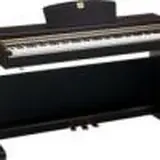
I only connected the headphone output of my digital piano to the input of my audio interface.
As software I use Audacity, I record the track and export it as an mp3. That's all.
See you soon.

