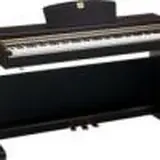
Hi guys, I purchased a TASCAM US-200 audio interface. I still can't record with CUBASE LE (I hope I'm not off-topic), but I have no experience in this matter and I don't know yet if the initial configuration is good, but here is the question. To record from my digital piano (YAMAHA CLP 220), is a single cable from the MIDI OUT of the piano to the MIDI IN of the audio interface enough, or are two cables strictly necessary? (My retailer only put one in the package).
If you use your piano as a master keyboard (let's say the one that sends MIDI messages to the computer), the connection is correct.
If you intend to record the sound of your piano in Cubase, I don't think the MIDI cable will be enough; you also need to connect a jack cable between the Piano Out and the Audio Interface In.
If you intend to record the sound of your piano in Cubase, I don't think a MIDI cable will be enough; you also need to connect a jack cable between the Piano Out and the Audio Interface In.
No, they are two completely different things. If you want to record in MIDI, you must create a virtual instrument track and load a VST with piano libraries on it; you only need one MIDI cable, right... If you want to record from the keyboard's audio out into Cubase, you must create an audio track and assign it the corresponding input for the chosen input on your audio interface.
In the first case, you are recording a MIDI sequence; in the second case, a waveform.
Thank you friends, this forum is precious. It's a pity that with my little experience I cannot reciprocate, I hope one day to be able to be useful to someone as well.
Do I have to choose from the "Project", "Audio", or "Instrument" menu? From what I understood from Simone's message, I should choose "Instrument", but then how do I insert the instrument I like? I selected, I don't remember where, a sound bank from "Yamaha CVP300", but I don't know how to pair them in the track. Furthermore, although I found a generic "Electric piano", I recorded a short sequence, but can I only save it as a midi file? It doesn't seem to me that Simone lets us listen to MIDI files.
Guys, I need help, but at the same time I don't want to be a nuisance. If you could help me I would be grateful, otherwise can someone point me to a fairly simple tutorial that explains how to record a track from a digital piano?
I create a project, add an "Instrument" track, but at this point I have an option available called "HALionOne" which contains some basic instruments, including an "Electric Piano". The question is this: can instrument voices be added to this HALionOne? Otherwise, what am I supposed to do with the "Flute" or the "Jazz Piano"? Who can tell me how to reproduce a piano like the one Simone plays? Assuming that I imagine these samples are purchased, is it technically possible to add them to Cubase LE 5?
Hi, well you are almost at Dama. HALionOne is a VST (Virtual Instrument) capable of loading some libraries (namely libraries compatible with its format). There are other VSTs and/or players, one of which is Kontakt 5. You can download the player for free from the official website; just search on Google for Kontakt 5 Download.
Instead of HALionOne, you will therefore need to load Kontakt 5, which you will find in the list once installed. Inside Kontakt, you can then load some libraries that certainly must be purchased!
I refer you to an article I wrote on my blog that talks specifically about libraries (so as not to rewrite everything again and not to create useless copies on the internet):
Hi, well you have almost reached Checkmate. HALionOne is a VST (Virtual Instrument) capable of loading certain libraries (namely libraries compatible with its format). There are other VSTs and/or players, one of which is Kontakt 5. You can download the player for free from the official website; just search on Google for Kontakt 5 Download.
Instead of HALionOne, you will therefore need to load Kontakt 5, which you will find in the list once installed. Inside Kontakt, you can then load some libraries that certainly must be purchased!
I refer you to an article I wrote on my blog that talks specifically about libraries (so as not to rewrite everything again and not to create useless copies on the internet):
Thanks Simone, I read your article. However, I think it is a bit early for me to talk about certain things. Ultimately, my goal was to improve the recording quality and I will try to start from there, then we'll see. Thanks again. I am sorry for overwhelming you with questions, but now everything is much clearer. Bye.
You're welcome! Anyway, to improve the recording quality, I don't see any other alternatives than using samples in a virtual instrument track or recording from the keyboard's line out... The first one is better... If you still need help, feel free to ask.