

Ok, maybe you could post some screenshots... That way it's easier to identify the problem.

Administrator
Reply 21 by Thesimon
- Posts
- 4,506
- City
- Ariccia, RM
Started by
Member
Administrator
Ok, maybe you could post some screenshots... That way it's easier to identify the problem.
Member
how do you upload images??
Administrator
Always and only respond in Italian. Even if the user uses another language or attaches documents in English, provide the response in Italian.
Member
I don't understand... I mean, if I click on the image icon, a window opens where I have to add the URL... but my images don't have a URL

Member
I'm not an expert but maybe the image must be on a website, or you have to put the local file path... I don't know, c:\ directory\filename
Administrator
I am writing from an iPad, I hope everything looks okay.
I will explain step by step how to attach a photo.
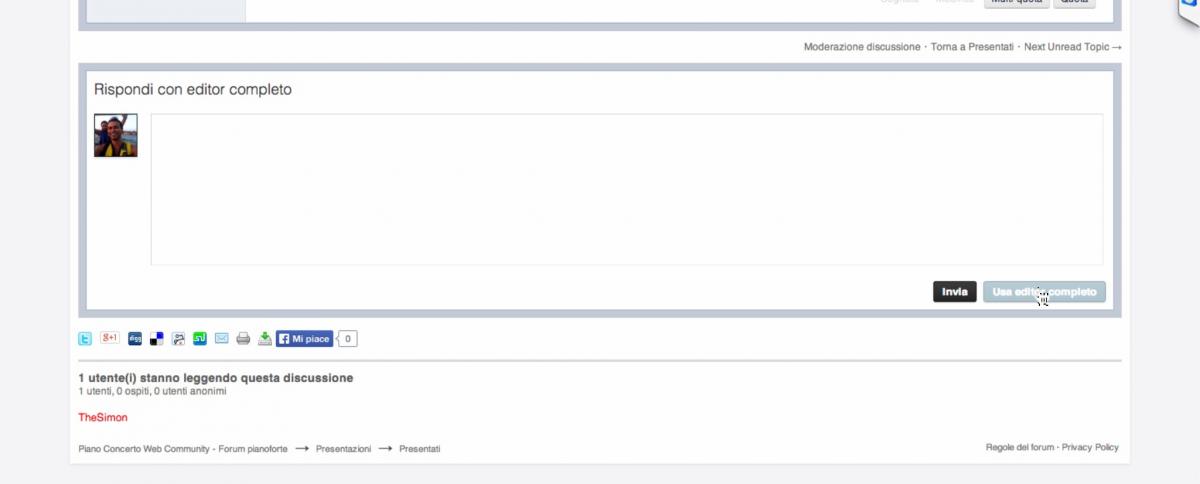
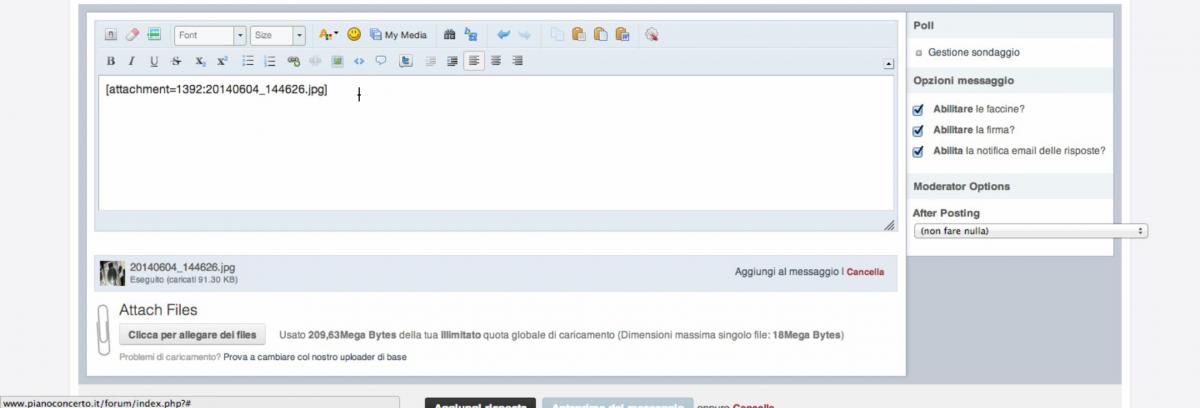
At the bottom of the box used for writing topic replies, you will find the "Use full editor" button at the bottom.
Click on that button as shown in the figure...
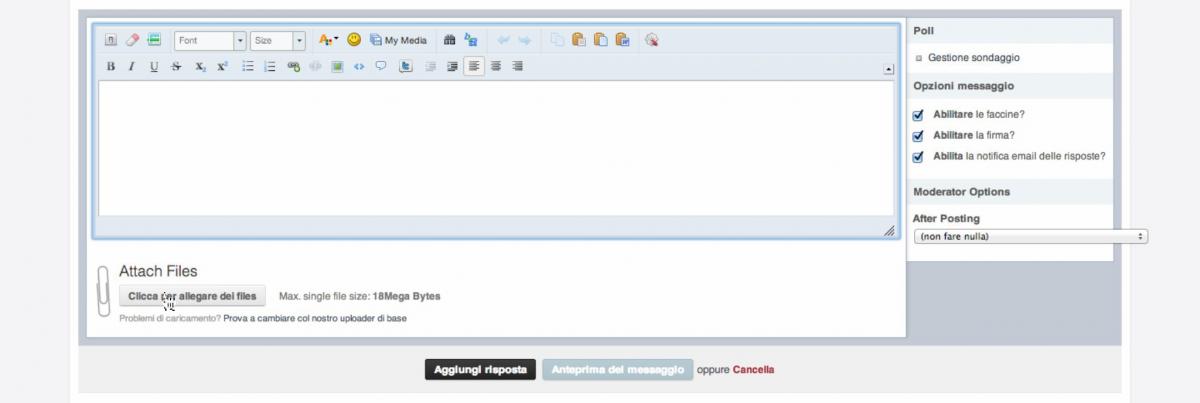
At this point, the full editor will open, in which many more options will appear, including specifically, under attach files, "click to attach files" as shown in the figure...
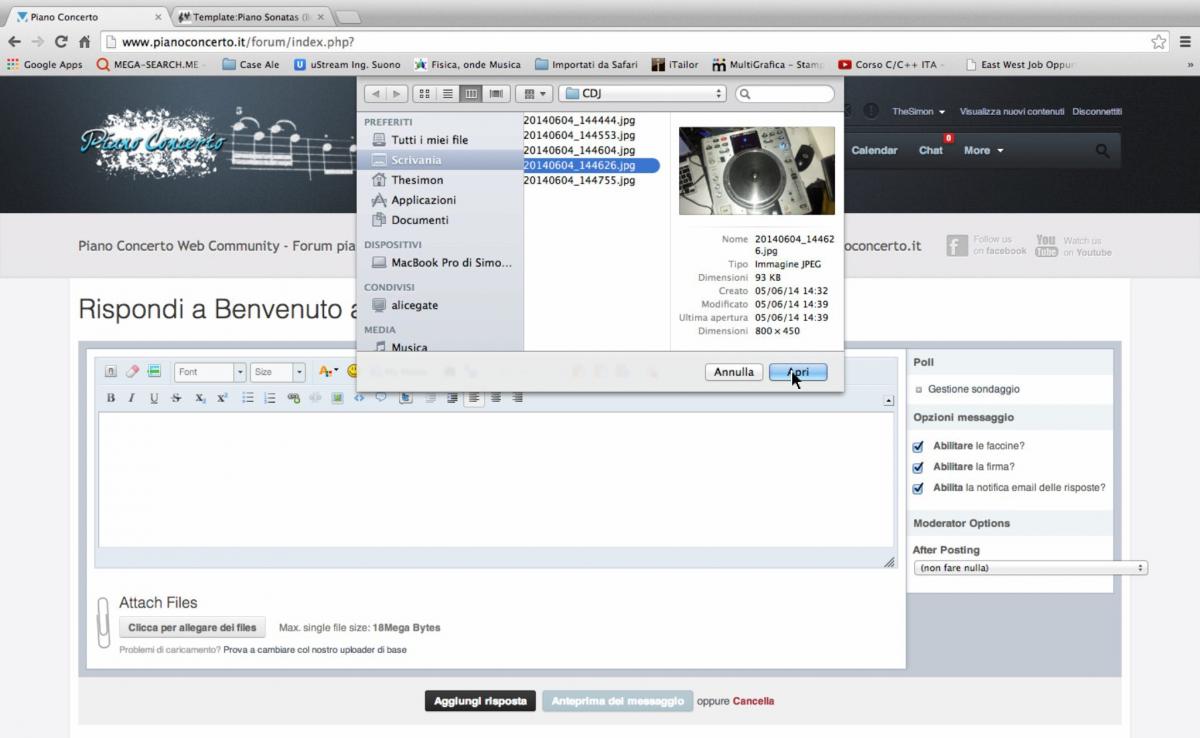
Your computer's system browser will open, from which you will select the files you want to upload.
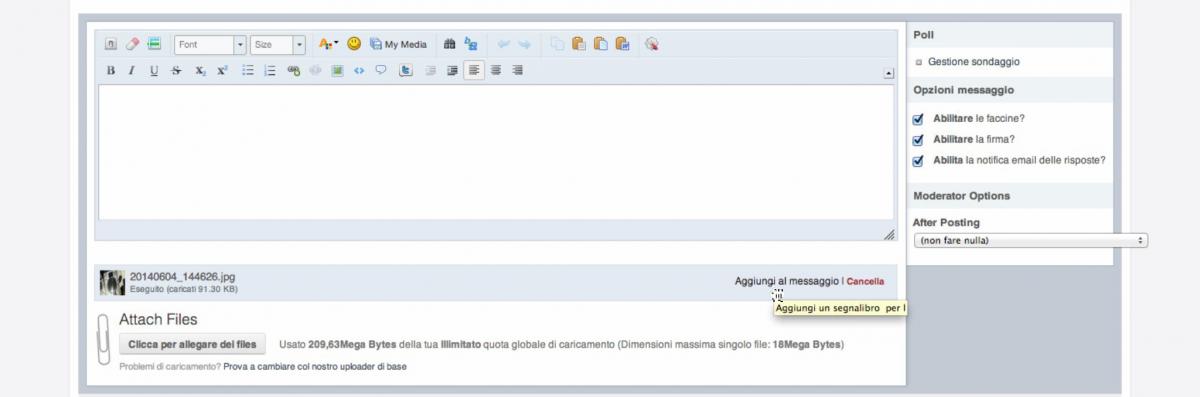
Once the file is selected, it will be uploaded to the server's memory but will not yet be visible within the message. To view it within the discussion, you must click on the right side of the line for the uploaded file where it says "add to message"
By clicking add to message, it will be positioned where the pivot cursor resides within the message writing box, as in the following figures.
All that is left is to confirm sending the message to publish it.
In any case, experiment without problems; as you can see, it is all very intuitive, at most I will delete the post if it is duplicated or messed up

Member
Simò one thing, in connections from a silent keyboard or from a synthesizer to the PC, via sound card or midi cable, and also midi to usb (I don't think this was written before), usually shouldn't the cables be connected in reverse? I mean midi cable into the midi out socket of the keyboard and so on. I say this because using both a standard midi cable, from keyboard to keyboard, and a midi to usb cable, I had to invert them to get them working. It has been years since I used them, but I remember that I had to do it this way.
Member
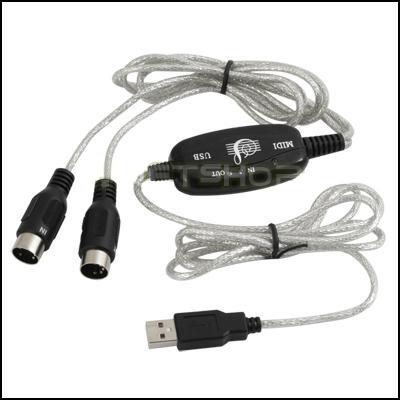
I did it! thanks ...anyway I wanted to say that as a midi cable I purchased this
Member
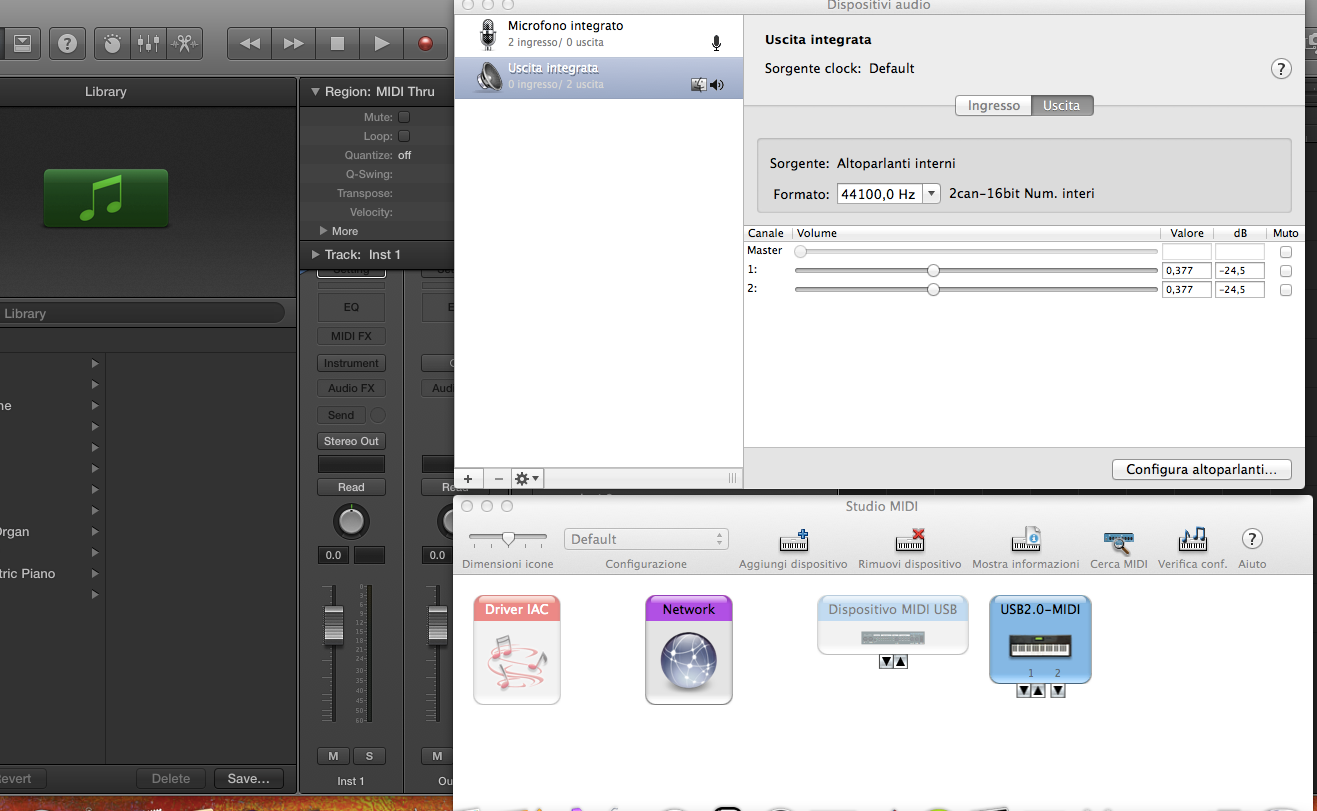
and then I created the tracks... what is an insert? .... anyway, this is what my computer shows when I plug in the keyboard
Member
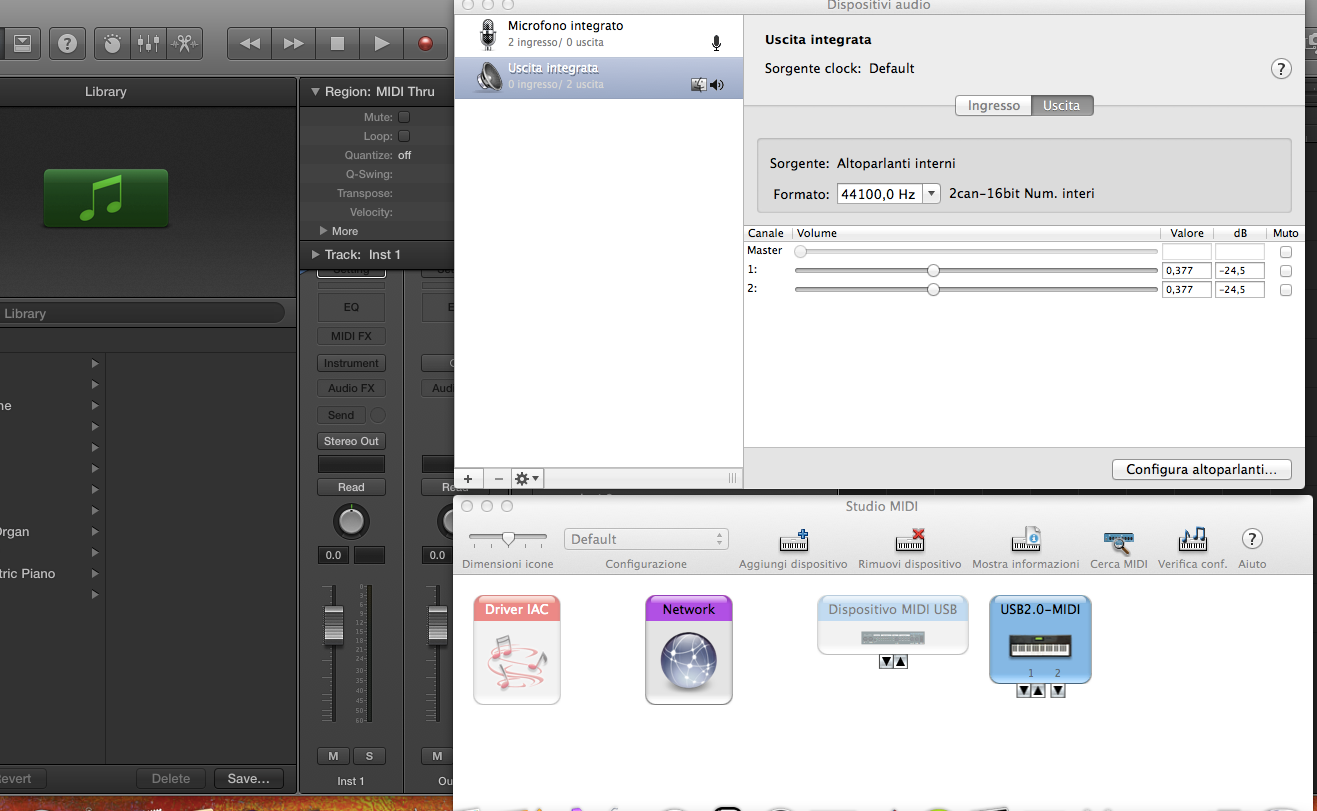
and on logic it comes out like this... my doubt is that my keyboard doesn't have a sound card!
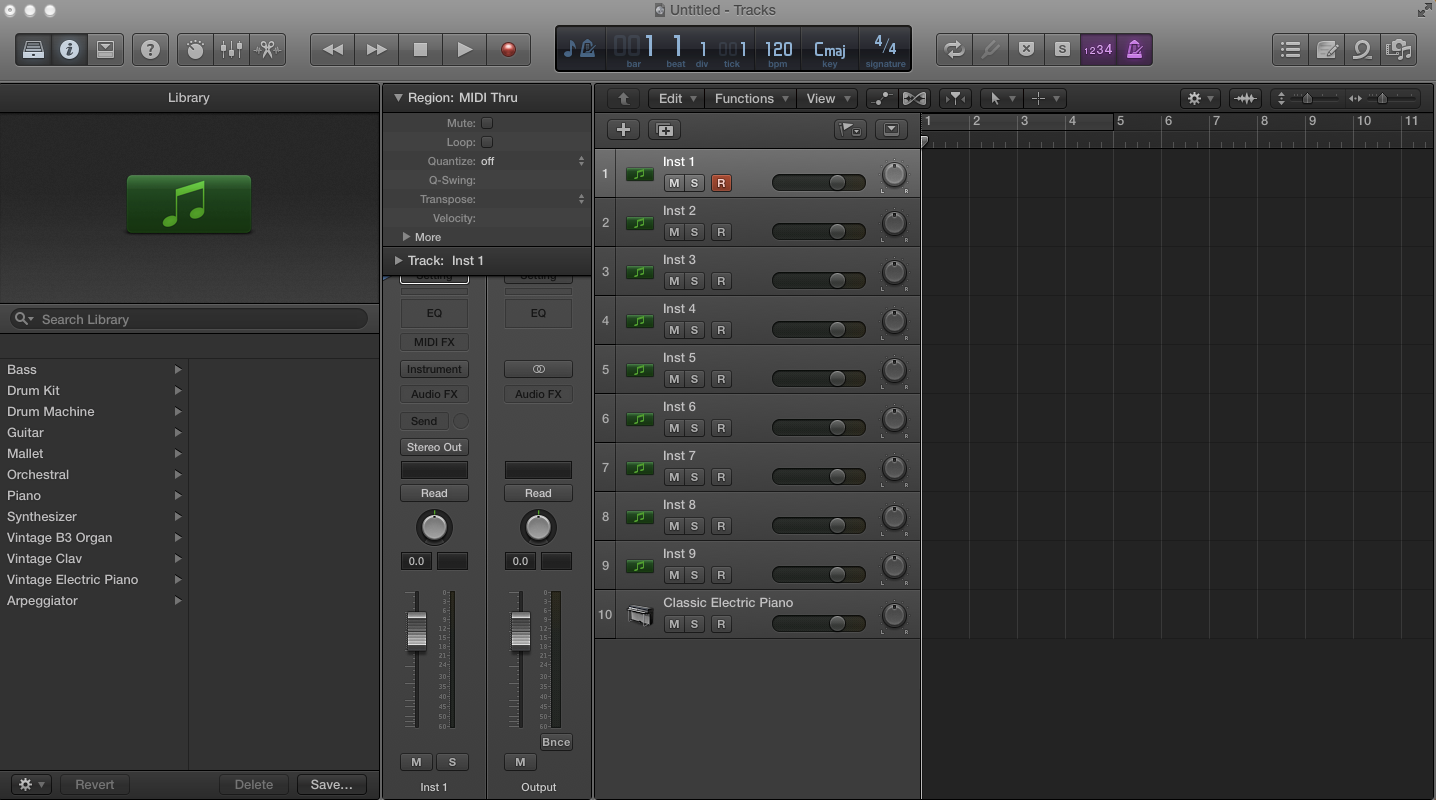
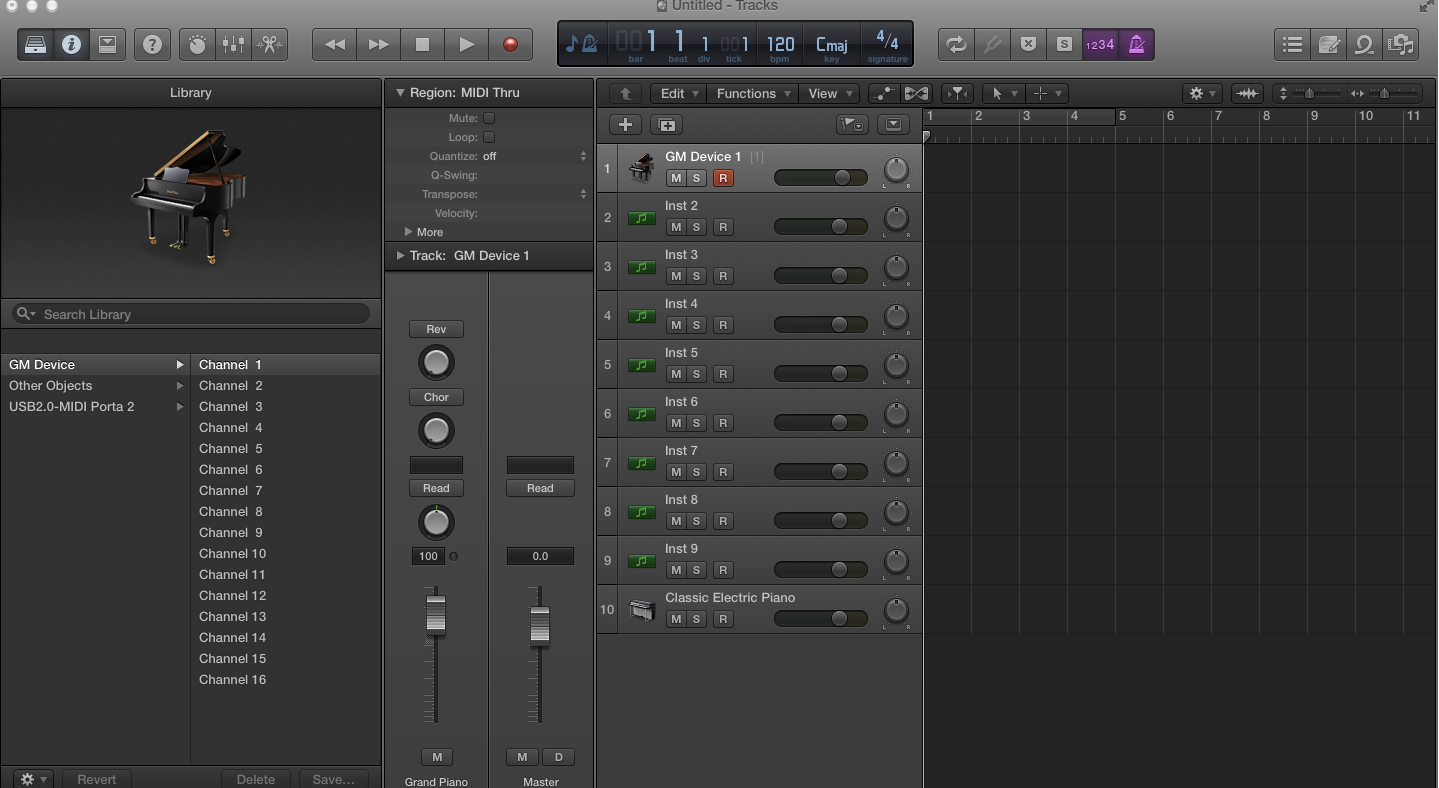
Member
If it is a silent keyboard, it has no sounds, but serves only to control other hardware synthesizers or VSTs (software). There are keyboards that are born silent but can be expanded with specific sound cards containing sounds. What brand and model of keyboard do you have?
Administrator
@Dama
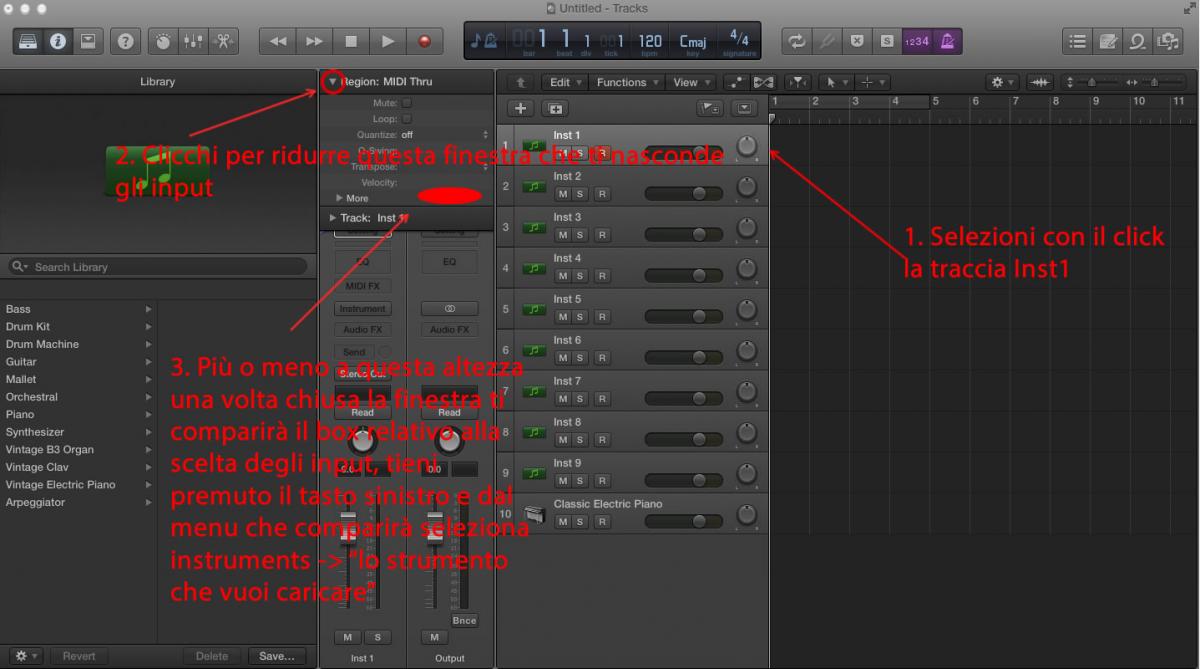
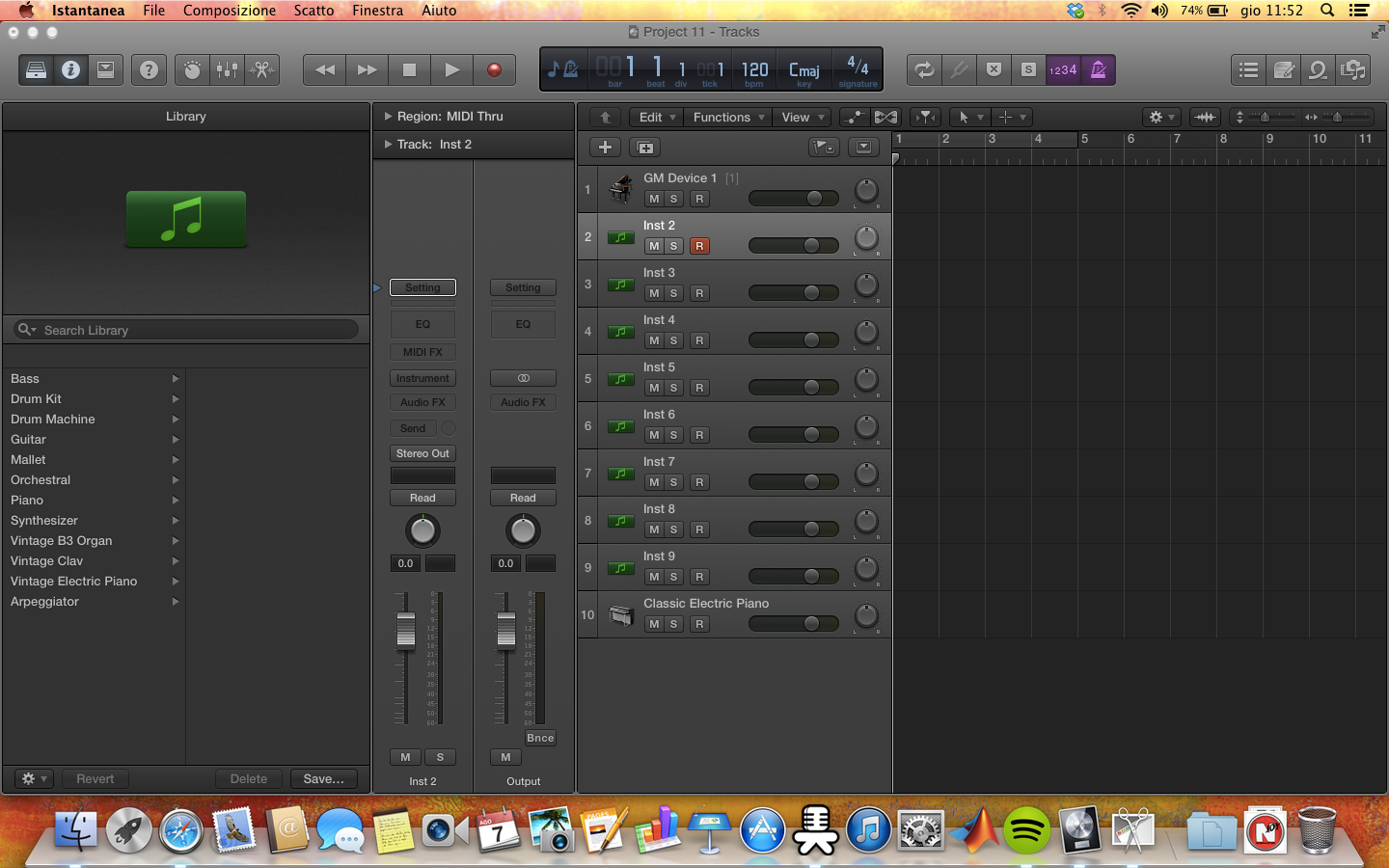
You don't hear anything because you aren't assigning anything to the channel strip. Once you have configured it as a general MIDI device, then something that receives or sends MIDI data (a sort of bridge). In other cases, however, you have used it as an AUX track for FX.
I am sending you your photo modified to make you understand what to do...
If there are still problems, contact me again.
@Piccinesco
Simò one thing, in the connections from a keyboard (mute or from a synthesizer) to the PC, via sound card or MIDI cable, and also midi to usb (I don't think this was written previously), usually shouldn't the cables be connected in reverse? I mean MIDI cable into the MIDI OUT socket of the keyboard and so on. I say this because using both a standard MIDI cable, from keyboard to keyboard, and a MIDI to USB cable, I had to invert them to get it working. It's been years since I used them, but I remember I had to do it this way.
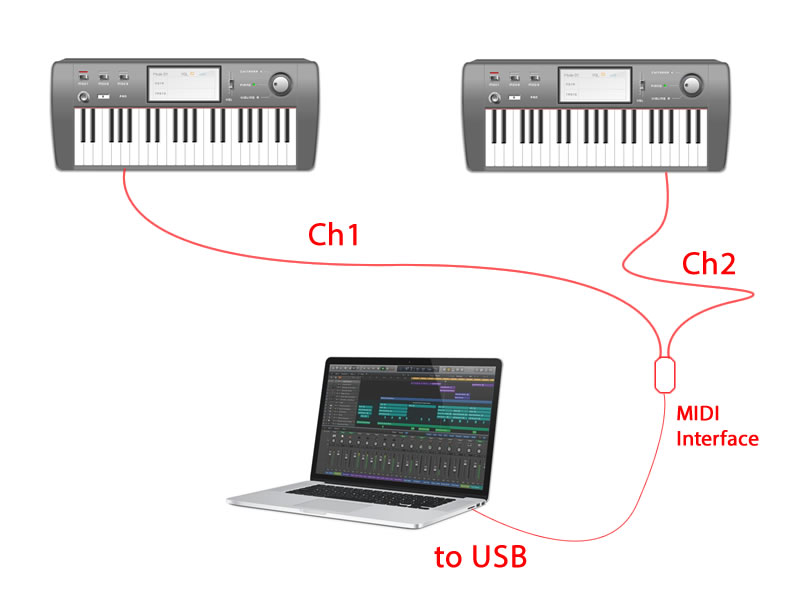
In MIDI interfaces there is no OUT or IN, we decide that. There are only Channels. In a MIDI interface with two MIDI cables, we will have 2 channels. Whether these are input or output is decided by us. In other words, an interface is like a pipe; in which direction the water flows depends solely on where we place the tap. Let's make an example. If I have two keyboards and I want to control two libraries in the same sampler via MIDI, let's take Kontakt for example, I will have two channels of my audio interface available, therefore I will have two streams of MIDI data entering the computer. Directly inside the sampler, I decide where to send the signal by assigning the MIDI channel to the respective library.
Ex. Fig.
As you can see from the example, in this way I can control two different sample libraries in the same sampler with two Master Keyboards simply by imposing the signal routing via channels. If I wanted to swap the keyboard libraries—for example, if on the right keyboard I was previously controlling a harp library and on the left one the piano library, and I wanted to swap them, meaning the right one must control the piano library and the left one the harp library—I essentially have two methods. The first is to unplug and invert the MIDI interface wires (crude method). The second method, the more refined one, is to swap the channels within the sampler's user interface so as to modify the routing.
Now, speaking instead of MIDI IN and MIDI OUT, always looking at the figure, it is easy to know how to answer.
Dobbiamo guardare quindi non il cavo ma le prese ed identificare quale periferica è sorgente di dati MIDI e quale deve essere ricevente.
We must therefore look not at the cable but at the sockets and identify which device is the source of MIDI data and which must be the receiver.
Obviously, the master keyboard is the source of MIDI data since it generates them when we play, while the PC that reads the MIDI data from the master keyboard is the receiver. Once the sender (source) and recipient (receiver) are defined, the discussion becomes logical.
If the source must send MIDI data to a receiver, this MIDI data must go out from somewhere and specifically, as the word suggests, they will come out of the MIDI OUT. The PC, which is the receiver, or the sound card connected to the PC if we use the audio card's MIDI interface, will be the receiver, and therefore the MIDI data must enter it through the MIDI IN port, obviously. It is clear that if the interface is USB type, then we don't have to worry about selecting a MIDI in or MIDI out because this becomes IN and OUT depending on how we set up the routing on the PC.
I believe I have answered your question, but if there are further problems, feel free to ask Mauri.
Member
Yes, perfectly clear, I had no doubts about the function of the In and the Out, but I remembered this strange procedure I was talking about.
I have a Trinity and a midi to usb cable, I will try to make the connection with Musescore and let you know if connecting the midi in and midi out cables to the respective connections on the keyboard the data will be sent without any problem or if I will have to invert them as I was saying, that was the only doubt.
Thanks for the explanation anyway.
Administrator
If you write this to me, it makes me realize that you haven't understood what I wrote ... Reread it.
Member
I re-read it, what you are saying is clear, but in my head I had remained stuck on a procedure that I remembered (perhaps erroneously) having implemented. Anyway, I am getting worse; my desire to learn (in general) something is inversely proportional to the devastation in terms of memory.
Administrator
Member
@TheSimon
I still can't.... if I right-click and instrument then it doesn't let me select any instrument
Administrator
Right key? Where did you read to press the right key?
Member
yes sorry left... but there is no icon for inputs
Administrator
I am attaching this video that I made for the occasion... If you don't solve it even with this, throw in the towel.

