

Is it okay if you use it from above, is the measurement correct or did you force it to insert the template
Member
Reply 41 by giovannig
- Posts
- 514
- City
- Monza
Started by
Member
Member
Is it okay if you use it from above, is the measurement correct or did you force it to insert the template
Member
yes yes it is correct it came in handy
Member
Well then you will have to build the tool to bend the teaspoons! You could modify a long screwdriver
Member
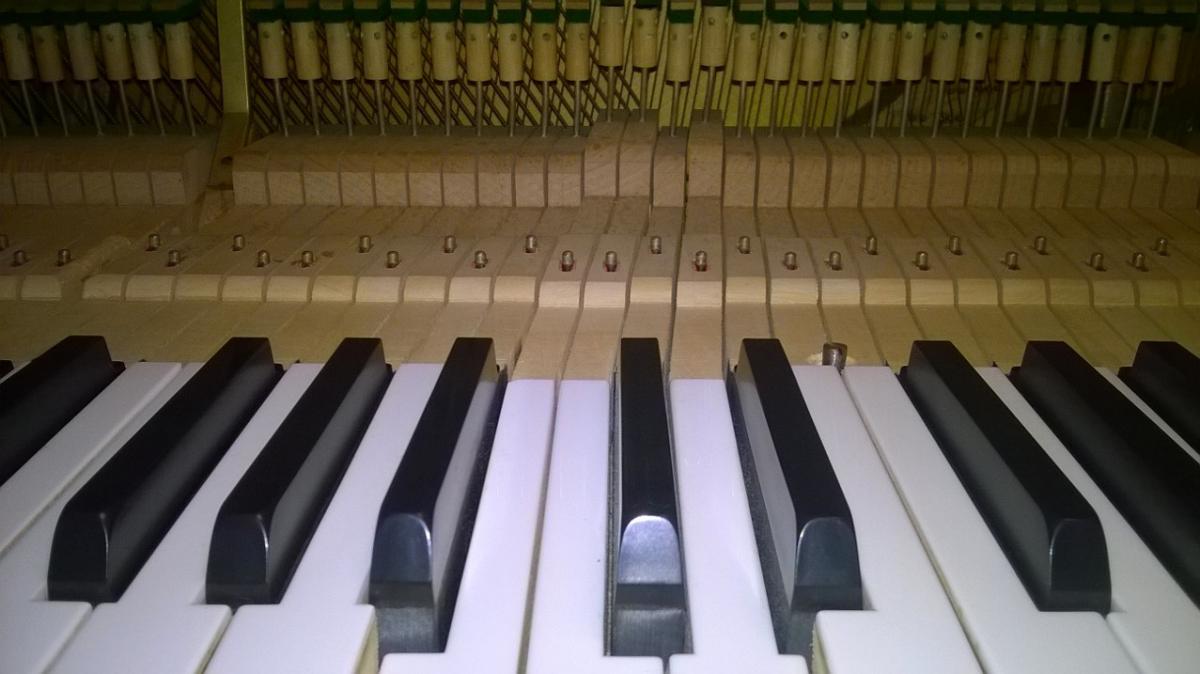
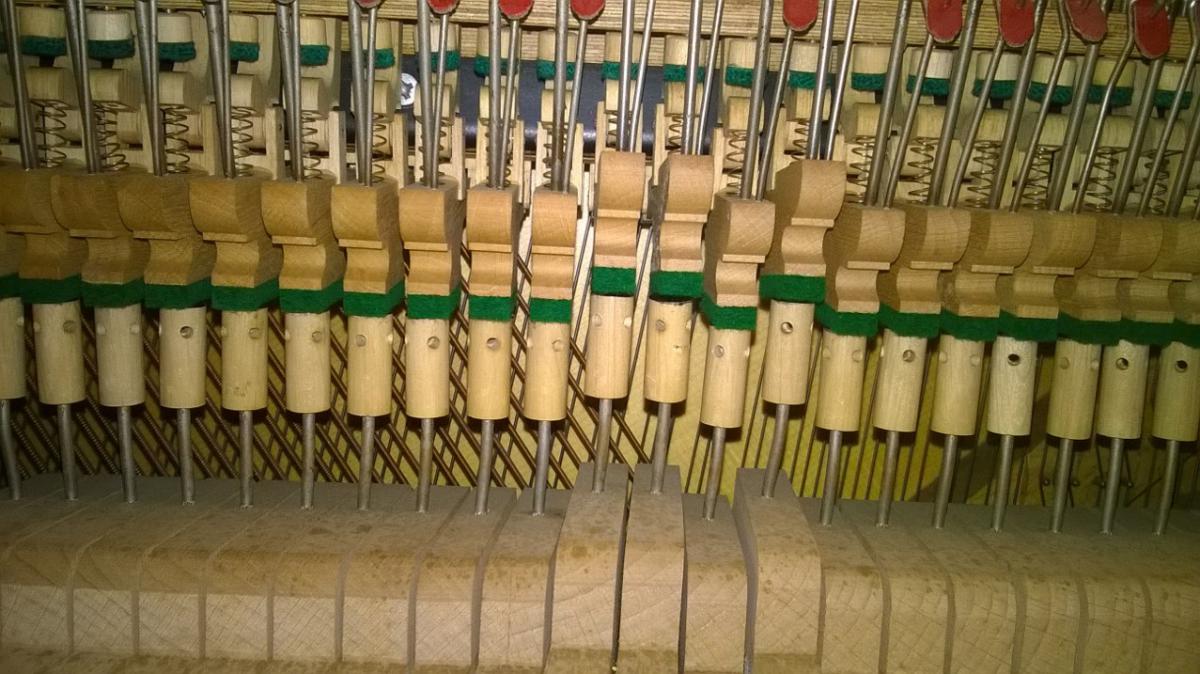
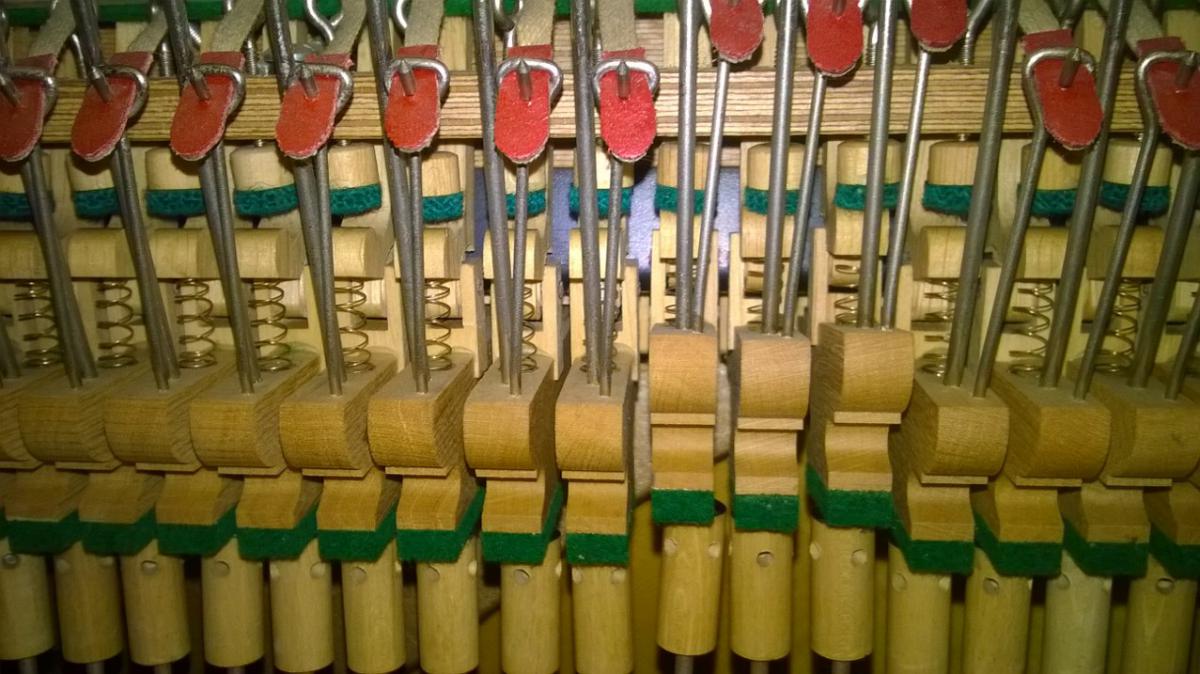
Start fixing the backgrounds and at three a frontal photo of the pilots by pressing three keys together close to each other and the middle one black.
Member
The key for the hammers must arrive; I requested it yesterday morning along with the bretteline tape, Franklin glue, and the felt strips for bass and treble dampers, so that I have them on hand if I need to change them, or have them changed.
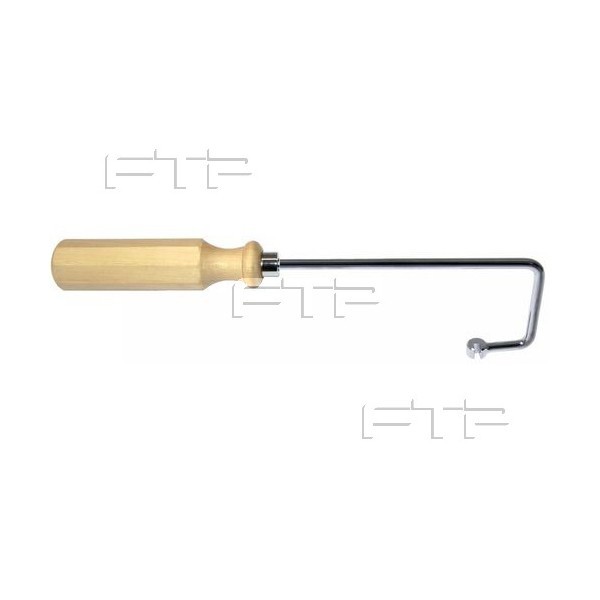
i took this key
Member
For those who don't adjust spoons every day, the straight one is better; this one is very uncomfortable to use because it is used from the front without removing the mechanism.....in my opinion, it is better to lose a little more time and insert/remove the mechanism, so as to see what is being done...col126, it's likely you will be able to use it because there is enough space, I have it too, but you have to catch the spoon correctly.
Member
For those who don't adjust spoons every day, the straight one is better; this one is very uncomfortable to use because it is used from the front without removing the mechanism.....in my opinion, it is better to lose a little more time and insert/remove the mechanism, so as to see what you are doing...col126, it's likely you will be able to use it because there is space, I have it too, but you have to catch the spoon. Get the straight one
Member
Ok then tomorrow I'll create that tip while waiting for the other one, maybe to make adjustments
I'm posting the photos of the pilots
Member
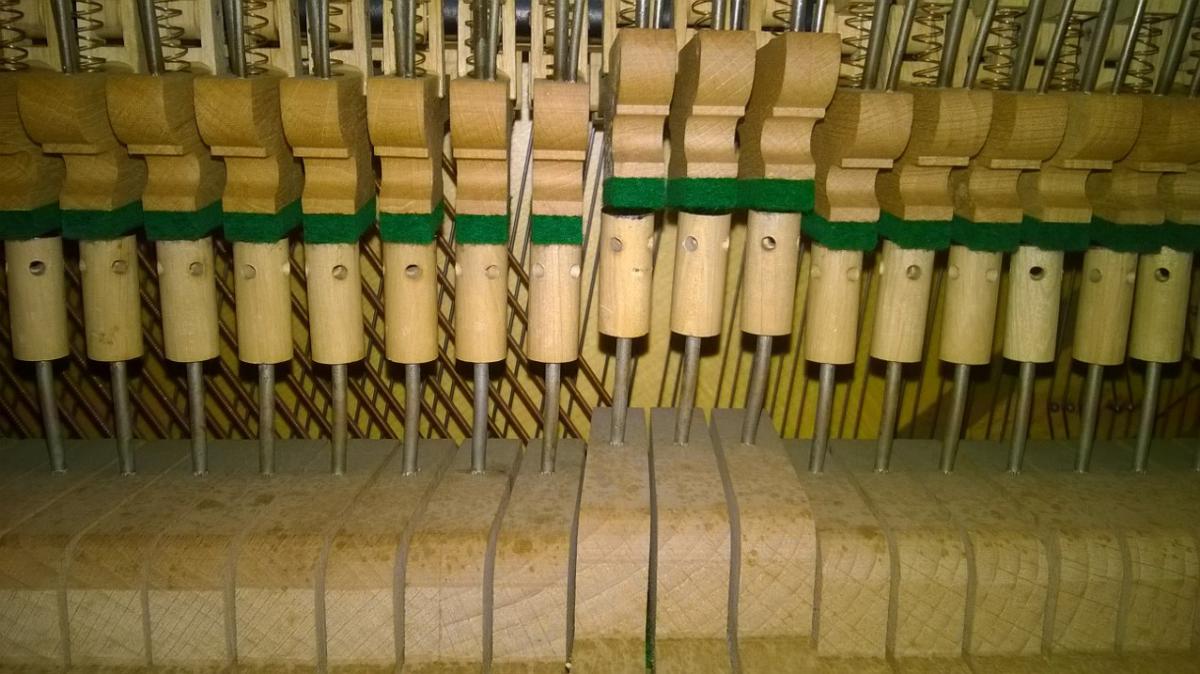
Yes, but I need the photo on three consecutive [notes], for example do do# and re.
Member
here it is
Member
See how the stands are aligned? It means that the black background relative to the whites is correct. You must first do the backgrounds for all the whites and then check, so that the background of all the blacks is [correct].
Member
I mean, I have to check that the supports are all aligned, right? And if they aren't, do I need to adjust the pilots? I saw someone not perfectly aligned
Member
Three by three with the black in the middle after having done the backgrounds on white using the template you made
Member
First of all, you should fix the leveling
Member
here is the one on the right a bit higher
Member
here is the one on the right a bit higher
Member
Ok but do the whites with the template, what I told you is fine if the two extremes are the whites and if they have already been checked with the template
Member
so I have to level the keyboard by adding or removing shims under the keys? I have never adjusted them before
Member
Level the keyboard if the key is low by adding thickness to the center tip, if the key is high by removing a piece of paper... By using the long ruler you will notice
Member
Ok ok, I don't have the maps, I have to make them. I will take care of it tomorrow, as soon as I finish the leveling work I will update you